
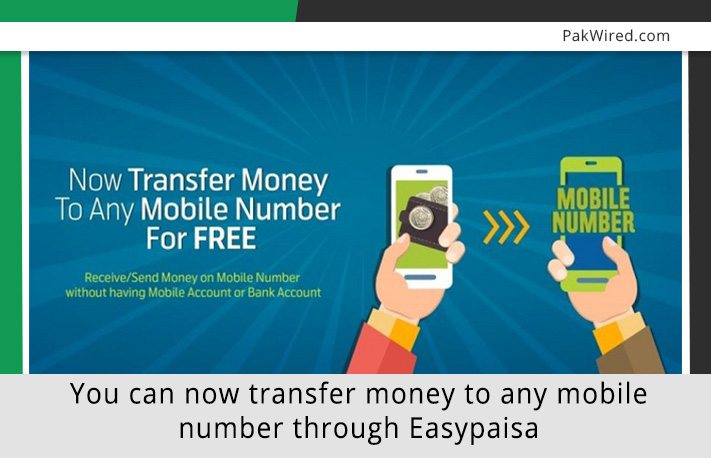
Easypaisa has launched a new service through which you can transfer money from his Easypaisa account to any mobile number.
The service, which is known to be as Pakistan’s first and largest branchless banking, previously allowed Easypaisa account holders to transfer money to any bank account, CNIC and Easypaisa account across Pakistan. However, with the addition of new service, a user can now transfer money to any valid mobile number. This move will further augment financial access and reach in Pakistan since the receiver can immediately open an Easypaisa account and receive the money anytime, anywhere in the country that too in the most secured and convenient manner.
While commenting about the latest development, Head of Easypaisa Muhammed Yayha Khan stated:
“In pursuit of our financial inclusion goals, we are aiming to make Pakistan’s favorite branchless banking service, Easypaisa comprehensively accessible to everyone. Moreover, transferring and receiving money straight from their mobile phone enables the masses to enjoy free and effortless financial transactions”
Money transfer process
The process of transferring funds to any mobile number is explained below:
1- Easypaisa user will have to dial *786#
2- Select option No. 2 i.e. ‘money transfer’
3- You will have to then select option No. 3 ‘send to any mobile’
4- Enter the receiver’s cell phone number following with the amount
5- Once you enter the Easypaisa account pin, you will received a confirmation message

It is worth mentioning that a user will still be able to receive the amount in case the receiver does not have an Easypaisa account. The money transfer notification will tempt the receiver to open the account straightaway so that he can receive the amount in his account without any delay.
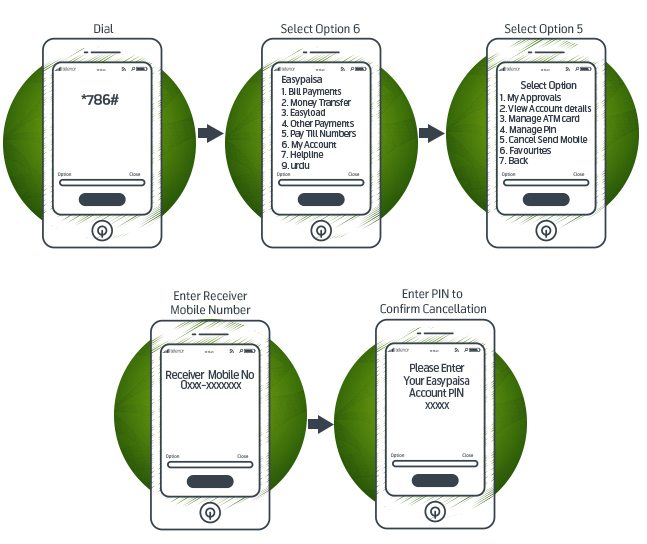
A sender can also cancel the transaction midway ONLY IF the receiver has not received the transferred money. Following steps will help the sender in cancelling the transaction:
Easypaisa user dials *786# >>> Select option No. 6 ‘my account’ >>> Select option No. 5 ‘cancel send mobile’ >>> Enter the mobile number of the receiver >>> Enter the PIN number and the transaction will be cancelled.
Do you think Easypaisa’s overall reach will expand by launching this new option for the customers?
Source: Easypaisa website